API Overview
This page provides an overview of the API endpoints for the Token Minter API.
Integration
All API endpoints require authentication using API keys. You can generate API keys in the API Key Management section.
Generate API key via GUI
You can generate API keys from the Token Minter app, check out Generate API keys from the Token Minter App section.
To use the API endpoints, you need to make authenticated requests with your API key in the api-key header.
curl -X POST \
  https://api.token.web3sandpit.com/api/v1/endpoint \
  -H 'Content-Type: application/json' \
  -H 'api-key: your-api-key-here' \
-d '{...}'POST https://api.token.web3sandpit.com/api/v1/endpoint HTTP/1.1
api-key: your-api-key-here
Content-Type: application/json
{...}await fetch('https://api.token.web3sandpit.com/api/v1/endpoint', {
method: 'POST',
headers: {
'api-key': 'your-api-key-here',
},
// ...
});await axios.post('https://api.token.web3sandpit.com/api/v1/endpoint', {...}, {
headers: {
'api-key': 'your-api-key-here',
},
});Generating API key from the Token Minter App
- Log into the Token Minter App.
- Navigate to Settings in the top navigation bar.
- Click on the
Keys and Secretstab from side menu. - Click
Create APIbutton.
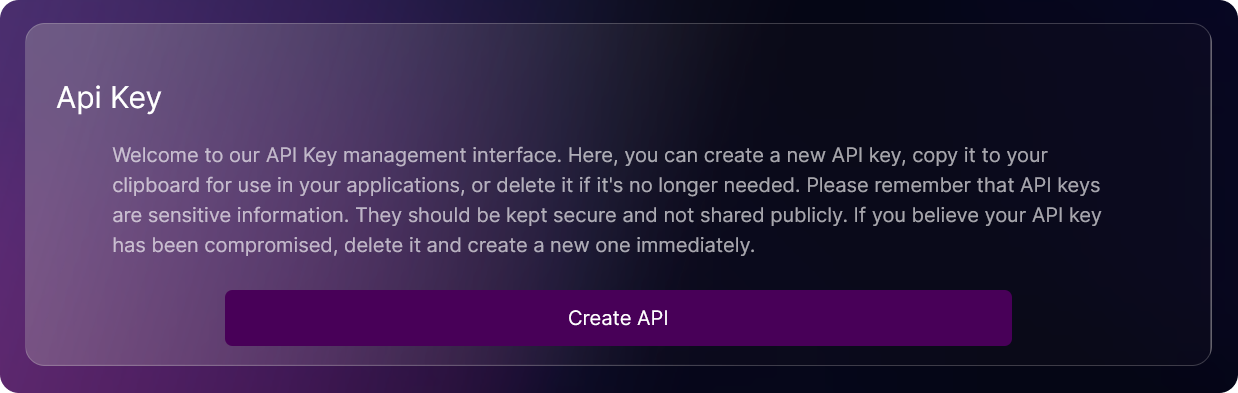
- Copy your API key and store it securely.

CAUTION!
Maintain the confidentiality of your API key by keeping it private. If it is compromised, promptly delete the key and create a new one.
Endpoints
The following endpoints are available:
API Key Management
GET/api-key- Retrieve a list of API keys based on query parametersGET/api-key/user/:userId- Retrieve a list of API keys for a specific userGET/api-key/:apiKeyId- Retrieve a specific API key by IDGET/api-key/my- Retrieve a list of API keys for the authenticated userGET/api-key/my/organization- Retrieve a list of API keys for the authenticated user's organizationPOST/api-key- Create a new API keyDELETE/api-key/:apiKeyId- Delete a specific API key by ID
Organization Management
GET/organization- Retrieves a list of all organizations.POST/organization- Creates a new organization.GET/organization/:orgId- Retrieves details of a specific organization by ID.PATCH/organization/:orgId- Updates an existing organization by ID.DELETE/organization/:orgId- Deletes an organization by ID.PATCH/organization/logo- Uploads a new organization logo.GET/organization/query- Retrieves a list of organizations based on a query.
Token Management
GET/tokens/token-name- Get the name of the token.GET/tokens/token-symbol- Get the symbol of the token.GET/tokens/total-supply- Get the total supply of the token.GET/tokens/my-token-balance- Get the token balance for the authenticated user.GET/tokens/balance/organization- Get the token balance for the organization.
Transaction Management
GET/transactions/all- Retrieve a list of all transactions of the authenticated organization.GET/transactions/user- Retrieve a list of transactions of the authenticated user.
User Management
GET/users- Retrieve a list of users in the organization.POST/users- Create a new user for the organization.GET/users/:userId- Retrieve a specific user by ID.PUT/users/:userId- Update a specific user by ID.DELETE/users/:userId- Delete a specific user by ID.GET/users/profile- Retrieve the profile of the authenticated user.POST/users/registerLocalUser- Create a new local user in the application database.POST/users/owner- Create owner users in the organization.POST/users/registerLocalOwner- Create a new local owner in the application database.DELETE/users/owner- Delete owner of the organization.
Permissions
Each endpoint has a set of permissions that are required to access it. Only users with the required permissions can access the endpoint.